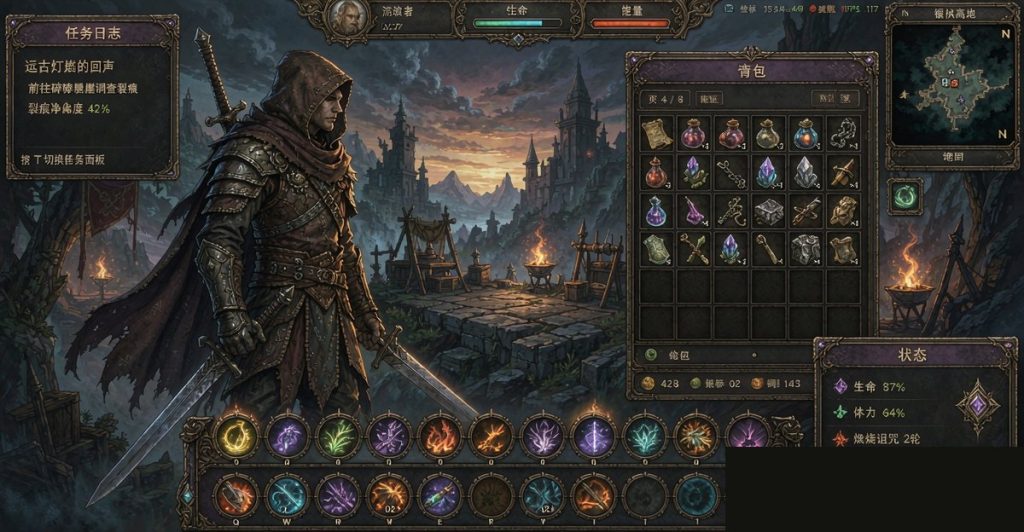
Want to set up your UI in WoW Forever beta? This guide covers best UI addons, clean setup, and beginner-friendly config.
UI setup = max efficiency. Here’s the 2026 guide.
🎯 UI Basics
Why Custom UI
| Reason |
Why |
| Clean screen |
Max vision |
| More info |
Stats + quests |
| Less clutter |
Important only |
📊 Best UI Addons
S Tier (Required)
| Addon |
Function |
| ElvUI |
Full UI replacement |
| Bartender4 |
Action bar manager |
| Bagnon |
Bag UI |
A Tier (Strong)
| Addon |
Function |
| Tidy Plates |
Enemy health bars |
| Details |
Damage meter |
| WeakAuras |
Custom alerts |
B Tier (Nice)
| Addon |
Function |
| SexyMap |
Map style |
| OmniCD |
Cooldown tracker |
| GTFO |
Bad stance alerts |
🏆 Best UI Combo
Combo 1: Beginner
| Addon |
Use |
| ElvUI |
Full UI |
| Bagnon |
Bags |
| Details |
Damage |
Combo 2: Power User
| Addon |
Use |
| ElvUI |
UI |
| Bartender4 |
Action bars |
| Bagnon |
Bags |
| Details |
Damage |
| WeakAuras |
Alerts |
🛡️ UI Setup Tips
Clean Setup
| Tip |
Effect |
| Hide Blizzard UI |
Clean |
| Move frames |
Easier reach |
| Group frames |
Less clutter |
Essential UI
| Frame |
Why |
| Player frame |
Self status |
| Target frame |
Target status |
| Action bars |
Spells |
| Mini map |
Map |
| Quest tracker |
Quests |
| Bag |
Inventory |
| Buffs |
Buffs |
💡 UI Tips
| Tip |
Effect |
| Use ElvUI |
90% done |
| Move to reach |
Less stretch |
| Hide unused |
Clean |
| Profile per char |
Different setup |
❓ FAQ
Best UI addon?
ElvUI. Full replacement.
Easy to setup?
Yes. Profile-based.
Need WeakAuras?
No. Optional.
🎯 Final Verdict
For beginner: ElvUI + Bagnon + Details = 3 addons. For power user: Add Bartender4 + WeakAuras. Save 20-30% screen clutter.
For more guides, see our Best Addons, Keybind Setup, and Macros Basic articles.