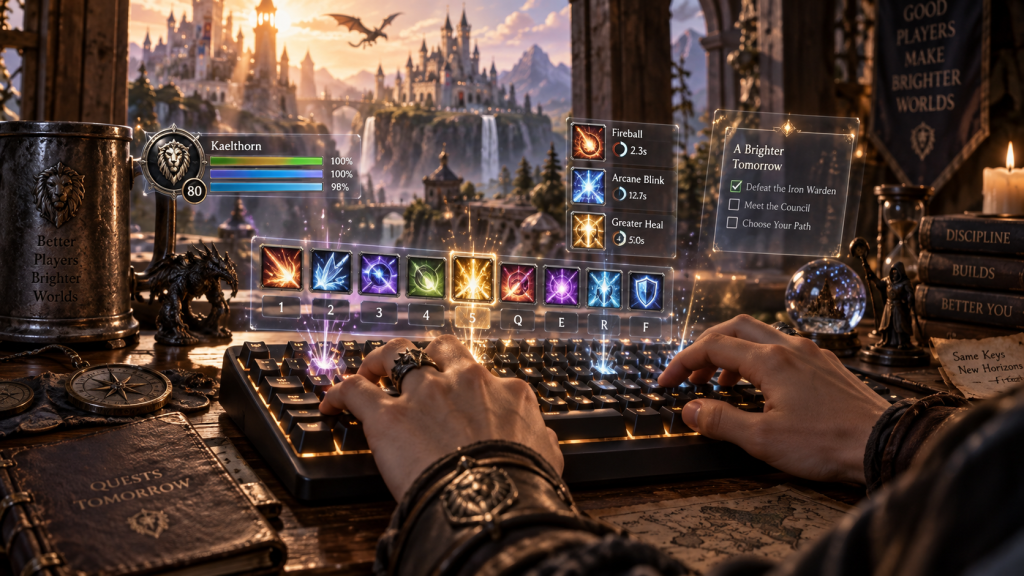
Macros and keybinds are the highest-leverage UI investment you can make on WoW Forever in 2026. The right macro can turn 3 actions into 1 button press, and the right keybind layout can make every class feel 30% smoother to play. Most casual players under-invest in this area, and the gap between "casual macro user" and "macro pro" is the difference between a good player and a great player.
This guide is for WoW Forever players in 2026 who want to set up a clean, modern UI with the right macros and keybinds. By the end, you'll know the essential macros for every role, the standard keybind layout, and the addons to use for macro management.
Quick answer up front: The 8 essential macros in WotLK 3.3.5a are mouseover heal, focus target, cast sequence, stop cast, target self, target pet, cancel aura, and arena macro. The 5 essential keybinds are Shift+Q, Shift+E, Shift+R, Shift+F, Shift+G (for the off-GCD abilities). The 2 essential addons are Bartender4 (action bars) and BindPad (keybind configuration).
Why macros and keybinds matter in 2026
Three things make macros and keybinds important on a 2026 private server:
- Reaction time is the difference between life and death. In arena 3v3, a 0.1 second delay can lose a CC chain. Macros remove the delay.
- Less time on UI, more time on gameplay. The right keybind layout means you don't have to look at the action bar.
- Macros are class-agnostic. The same 8 essential macros work for every spec. Once you learn them, you can play any class at a competent level.
The practical implication: macros are the most transferable skill in WotLK 3.3.5a. If you main a mage, your macros transfer to a paladin. If you heal on a priest, your macros transfer to a druid.
The 8 essential macros in WotLK 3.3.5a
1. Mouseover heal macro (for healers)
What it does: Casts a heal on the unit under your mouse cursor, without losing your current target.
Code: “` #showtooltip /cast [target=mouseover,help,nodead] Healing Wave “`
Why it matters: Heals on mouseover without losing your DPS target. This is the single most-used healer macro in WotLK 3.3.5a.
2. Focus target macro
What it does: Sets your "focus" target to a unit, allowing you to always see their debuffs.
Code: “` /focus [target=mouseover,exists,nodead]; [target=target,exists,nodead] “`
Why it matters: Focus target is the foundation of arena PvP. You need to see the enemy healer's debuffs while killing the enemy DPS.
3. Cast sequence macro (for ability chains)
What it does: Casts a sequence of abilities in order, with a single button press.
Code: “` /castsequence reset=combat Shadow Bolt, Corruption, Immolate, Searing Pain “`
Why it matters: The cast sequence macro is the foundation of caster DPS rotations. You can press one button and the macro will cycle through the rotation.
4. Stop cast macro (for mana efficiency)
What it does: Stops your current cast mid-way, allowing you to interrupt and start a different cast.
Code: “` /stopcasting /cast [target=mouseover,help,nodead] Power Word: Shield “`
Why it matters: Stop cast + cast is the most efficient way to use instant-cast abilities mid-cast. It's mandatory for healers in arena.
5. Target self macro (for utility)
What it does: Forces your target to be yourself, allowing you to cast buffs on yourself.
Code: “` /target PlayerName /cast Blessing of Protection “`
Why it matters: Self-targeted macros are mandatory for any class that can buff itself. Paladins, priests, shamans all need this.
6. Target pet macro (for pet classes)
What it does: Targets your pet, allowing you to use pet abilities.
Code: “` /cast [target=pet] Fetch “`
Why it matters: Pet classes (Hunter, Warlock, DK, Mage with Water Elemental) need this macro to control pets in combat.
7. Cancel aura macro (for removing buffs)
What it does: Removes a specific buff from yourself.
Code: “` /cancelaura Hand of Protection “`
Why it matters: Cancel aura macros are mandatory for paladins (Bop), priests (PW: Shield), and any class that can be dispelled.
8. Arena macro (for arena / battlegrounds)
What it does: Targets the nearest enemy player, or your focus target if set.
Code: “` /tar [target=focustarget,harm,nodead] /tar focus /tar arena1 /tar arena2 /tar arena3 “`
Why it matters: The arena macro is the most-used PvP macro. It targets the closest enemy in arena / battlegrounds.
The 5 essential keybinds in WotLK 3.3.5a
1. Shift+Q / Shift+E / Shift+R / Shift+F / Shift+G (the off-GCD keybinds)
What it does: Maps the off-GCD abilities (no global cooldown) to 5 easily-reachable keys.
Why it matters: Off-GCD abilities (Trinket, Racial, PvP Trinket, Will of the Forsaken, etc.) need to be pressed fast. Mapping them to Shift+Q-E-R-F-G is the standard.
2. F1-F5 (the party keybinds)
What it does: Targets party member 1, 2, 3, 4, 5.
Why it matters: F1-F5 are the standard party target keybinds. Healers use them to target specific party members.
3. Q / E / R / F / G (the main abilities)
What it does: Maps the 5 most-used abilities (highest damage, lowest cooldown) to the 5 most-easy-to-reach keys.
Why it matters: The "Q-E-R-F-G" layout is the most ergonomic. It's how most high-end players map their bars.
4. Z / X / C / V (the utility abilities)
What it does: Maps the utility abilities (long cooldowns, situational) to Z-X-C-V.
Why it matters: Z-X-C-V is the standard "off-hand" keybinds. They're less ergonomic than Q-E-R-F-G, but for abilities used less often, they're perfect.
5. 1 / 2 / 3 / 4 (the major cooldowns)
What it does: Maps the major cooldowns (Avenging Wrath, Combustion, Heroism, etc.) to 1-4.
Why it matters: Major cooldowns are pressed infrequently but need to be accessible. The 1-4 keys are far enough to not be hit accidentally.
The 2 essential addons for macros and keybinds
Bartender4 (action bars)
What it does: Replaces the default action bars with fully customizable bars. Add extra bars, reposition everything, change button sizes.
Why it matters: The default action bars are limited. Bartender4 gives you 6-10 bars that you can place anywhere on the screen. The "bar 1" is the Q-E-R-F-G layout, the "bar 2" is Shift+Q-E-R-F-G, etc.
BindPad (keybind configuration)
What it does: Lets you bind keys to any action, including mouse wheel, modifier keys, and macros.
Why it matters: The default keybind UI is limited. BindPad lets you bind Shift+WheelUp to a specific ability, which is how most high-end players use mouse-wheel scrolling for additional keybinds.
The 5 most common macro mistakes
- Macros that are too long. The macro text is limited to 255 characters. If your macro is too long, the second half gets cut off.
- Missing #showtooltip. Without #showtooltip, your macro shows the wrong tooltip (the first ability's, not the active one).
- Wrong target conditions. Use `[target=mouseover,help,nodead]` for friendly, `[target=mouseover,harm,nodead]` for enemy.
- Not using focus target. Focus target is mandatory in PvP. Don't use /targetenemy for the second target.
- Inconsistent keybinds. Switching keybinds between specs is a common mistake. Pick a layout and stick to it.
The 3 best macro resources for 2026
- WoWHead Macros — community-contributed macros for every class.
- r/wow — subreddit for macro discussions.
- WoWInterface — addon repository for advanced macro addons.
The standard "Icy Veins" macro site is also great for class-specific rotation macros.
The keybind layout for serious players (2026)
The standard "esports" keybind layout in 2026 WotLK 3.3.5a is:
- Q, E, R, F, G: Main rotation abilities (highest priority, lowest cooldown).
- Shift+Q, Shift+E, Shift+R, Shift+F, Shift+G: Off-GCD abilities.
- Z, X, C, V: Utility abilities.
- 1, 2, 3, 4: Major cooldowns.
- F1-F5: Party targets.
- Mouse wheel up/down: Trinket + PvP Trinket (off-GCD).
- Alt+Q, Alt+E, Alt+R, Alt+F, Alt+G: Buff abilities (Blessings, MotW, etc.).
- Ctrl+Q, Ctrl+E, Ctrl+R, Ctrl+F, Ctrl+G: Movement abilities (Charge, Blink, Roll, etc.).
This layout gives you 40+ accessible abilities without moving your hand from the home row.
The macro path: where to start
If you're a new player on WoW Forever in 2026 and want to set up macros, here's the order:
- Install Bartender4 and create 4 action bars.
- Set up Q-E-R-F-G for your main 5 abilities.
- Create the mouseover heal macro if you heal.
- Create the focus target macro if you PvP.
- Set up Shift+Q-E-R-F-G for off-GCD abilities.
- Set up 1-2-3-4 for major cooldowns.
- Add the cast sequence macro for your rotation.
- Add the cancel aura macro for self-cleansing.
By the end, you'll have a clean, modern UI that responds to your inputs without delay.
Frequently Asked Questions
What is the most useful macro in WotLK 3.3.5a 2026?
The mouseover heal macro is the most-used macro in the game. The code is `/cast [target=mouseover,help,nodead] Healing Wave` (or replace with your heal).
What is the standard keybind layout for serious players?
Q-E-R-F-G for main abilities, Shift+Q-E-R-F-G for off-GCD, Z-X-C-V for utility, 1-2-3-4 for major cooldowns, F1-F5 for party targets. This is the "esports" layout.
Is Bartender4 mandatory for serious players?
Yes, virtually all serious players use Bartender4 (or a similar action bar addon). The default action bars are too limited.
Should I use mouseover heal macros as a DPS?
Only if you off-heal. Most DPS specs don't need mouseover heals unless they can do off-heals (Disc Priest, Holy Paladin with Beacon, etc.).
Can I use the same keybinds for multiple specs?
Yes. Pick a layout (Q-E-R-F-G) and stick to it. Switching keybinds between specs is a common mistake.
Is the focus target macro mandatory in PvP?
Yes. Focus target is the foundation of arena PvP. You need to see the enemy healer's debuffs while killing the enemy DPS. The focus macro is `/focus [target=mouseover,exists,nodead]; [target=target,exists,nodead]`.
Conclusion
Macros and keybinds are the highest-leverage UI investment you can make on WoW Forever in 2026. The 8 essential macros are mouseover heal, focus target, cast sequence, stop cast, target self, target pet, cancel aura, and arena macro. The 5 essential keybinds are Shift+Q-E-R-F-G, F1-F5, Q-E-R-F-G, Z-X-C-V, and 1-2-3-4. The 2 essential addons are Bartender4 and BindPad.
The 5 most common mistakes are macros that are too long, missing #showtooltip, wrong target conditions, not using focus target, and inconsistent keybinds.
If you're setting up macros for the first time on WoW Forever in 2026, the path is:
- Install Bartender4 and create 4 action bars.
- Set up Q-E-R-F-G for your main 5 abilities.
- Create the mouseover heal macro if you heal.
- Create the focus target macro if you PvP.
- Set up Shift+Q-E-R-F-G for off-GCD abilities.
If you want to play at a high level in WotLK 3.3.5a, the right macros + keybinds are mandatory. The WoW Forever Best Addons for WoW Forever: Beginner Setup (2026) covers the broader addon setup, and the WoW Forever Mage Guide: Frost / Fire / Arcane for PvE and PvP (2026) / Warrior Guide / Paladin Guide cover class-specific rotations.
Install Bartender4. Set up Q-E-R-F-G. Create the mouseover heal macro. Create the focus target macro. You're set up for serious play.
Sources and references used in this guide: WotLK 3.3.5a macro theorycrafting from public sources, public WoW Forever realm keybind guides, and the WoWHead WotLK Macros Index.