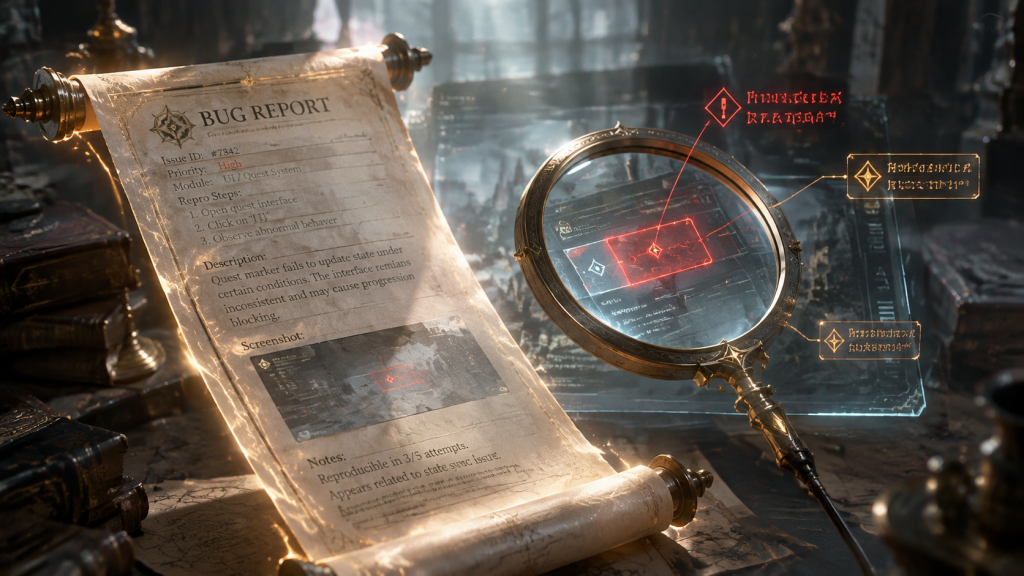
Beta testers on WoW Forever in 2026 will write more bug reports than anyone else in the server's history, and most of them will be ignored. The difference between a report that gets fixed and a report that sits in a tracker forever is almost never the bug — it's the format. This guide covers what to report, how to report it, and which bug categories actually get fixed.
Quick answer up front: The reports that get fixed are the ones with a reproducible step list, the client build number, the exact expected-vs-actual behavior, and a screenshot or video. The reports that get ignored are the ones that say "it feels wrong" or "X is broken" with no reproduction. On a private server, a detailed report often earns a beta reward because it saves the admin debugging time directly.
The 3 tiers of beta bugs (and what happens to each)
Tier 1: Launch blockers (fixed first, usually within 24-72 hours)
- You can't log in after the client update.
- Quests that can't be completed (no credit, no turn-in).
- Crashes on login or in a specific zone.
- Missing items/spells that block progression.
- Duplicate items or impossible item states.
The response time: These are the highest priority. A private server admin with 500 players hitting a login crash will drop everything else.
Tier 2: Functional bugs (fixed within days to weeks)
- Mechanics that don't work (a boss ability does nothing, an interrupt doesn't interrupt).
- NPCs that spawn wrong or don't respawn.
- Loot tables that drop the wrong items.
- Pathing issues (mobs stuck, can't reach a quest target).
- Spells with wrong coefficients (tooltip says 1,200, dummy shows 380).
The response time: Days to a couple of weeks, depending on severity and how many people report the same thing.
Tier 3: Design opinions and balance feedback (rarely "fixed", often discussed)
- "This class feels weak."
- "This spec should be buffed."
- "Why did they change this?"
- "This zone is boring."
The response time: This is a discussion, not a fix. Blizzard and private server admins both have opinions, and yours is one of many. A data-backed version of this (parse numbers, clear before/after) is worth more than an opinion — see the WoW Forever 4.0 Beta Class Changes (2026) guide for how to make that argument.
The rule: Report Tier 1 and Tier 2 as bugs. Discuss Tier 3 as feedback. Mixing them dilutes both.
The 4-part bug report format
Every report that gets fixed has these 4 parts. No exceptions.
1. The client build number
Where to find it: The character select screen, bottom right corner. Also visible in `/run print(C_InterfaceInfo.GetBuildInfo())`.
Why it matters: A report without a build number is unactionable. The admin can't tell whether you tested the current build or an old client.
2. The exact reproduction steps
Bad: "The quest in Vashj'ir is broken." Good: "Kill the 3 Coilfang mobs at coordinates (44, 62, 41) in the Revenant's Hide, then talk to Nagrand Shell at (52, 51, 27). The quest 'A Wife's Duty' gives no XP and the quest tracker shows a yellow '?' instead of a black '!'."
Why it matters: A report that the admin has to reproduce themselves costs them 15-30 minutes. A report with steps costs them 30 seconds. On a private server with a small staff, that difference decides whether your report gets looked at.
3. Expected vs. actual
Bad: "The damage is too high." Good: "Expected: Mortal Strike tooltip says 1,200 damage. Actual: dummy shows 380 damage at 232 iLevel with 2,000 strength. Reproduced 5/5 times."
Why it matters: The "expected" is the reference point. The admin needs to know what it should be to know if it's wrong. Most private servers don't have official reference data for a new build, so a player who provides the expected value has effectively done half the QA work.
4. Evidence
- Screenshot for visual bugs (UI, item tooltip, wrong art).
- Video for mechanics bugs (30 seconds of the fight is enough).
- Numbers for balance bugs (parse screenshots, dummy damage, cooldown timings).
Why it matters: A screenshot of a tooltip bug is often instantly actionable. A paragraph describing the same bug may not be.
The 6 bug types worth reporting
1. Quest chain breaks (highest priority)
Examples: No XP on turn-in, quest completes but the next quest doesn't appear, NPC gives the wrong quest, objective item doesn't drop.
Why these matter: A broken quest chain hard-blocks a player, and a new player hitting it during the first hour is a terrible first impression of the server.
How to report it: Full quest name, quest giver name and location, which step breaks, and whether the quest tracker shows the right state.
2. Spell coefficient and cooldown errors
Examples: Tooltip says 4 seconds but the actual cooldown is 6, damage is half the tooltip value, a cooldown doesn't start.
How to report it: Spell name, tooltip value, measured value, and the method (dummy damage over 3 minutes, or a stopwatch on the cooldown).
Why it matters: This is the data that the WoW Forever 4.0 Class Changes (2026) guide relies on for the whole class meta.
3. Item and loot table errors
Examples: An item drops that shouldn't, a set piece is missing from the vendor, the wrong number of items drops per kill.
How to report it: Item name / item ID, where it dropped, what the correct behavior should be, and how many kills it took.
4. NPC, spawn, and pathing issues
Examples: A quest mob doesn't spawn, a rare is up but can't be attacked, a mob is stuck in geometry, a boss is missing from the encounter.
How to report it: Zone, coordinates, NPC name, and a screenshot of the empty spawn point.
5. UI and visual bugs
Examples: Action bar buttons overlapping, tooltip text cut off, item model missing, spell effect not rendering.
How to report it: UI scale, resolution, and a screenshot. Always include the UI scale — most UI bugs only reproduce at 0.71 or 1.43.
6. Crashes
Examples: Client crash on login, crash on entering a zone, crash on a specific ability.
How to report it: Exactly what you did, the zone, and — if the client wrote one — the path to the error report file (usually `Errors/` in the WoW folder, or a `Crash*.txt`).
The 5 reporting mistakes that kill your report
1. Reporting to the wrong place
Mistake: Posting in the general chat, or as a Discord DM to one random admin, or in a public forum thread that gets buried.
Fix: Ask your admin where the tracker is. Most private servers have a dedicated channel (Discord `#bugs` or a forum board) and a specific form. A perfect report in the wrong channel gets no response.
2. Filing duplicates without saying so
Mistake: A 20th report of the same crash, each filed independently.
Fix: Search the tracker first. Say "duplicate of #123" — admins close duplicates instantly, and filing 19 extra copies actively wastes their time and annoys them.
3. Vague zone/location references
Mistake: "The bug is in Vashj'ir."
Fix: Coordinates and a screenshot of the minimap. "Vashj'ir" contains thousands of bug locations.
4. Not checking for an existing fix
Mistake: Reporting a bug that was fixed 30 minutes ago.
Fix: Update your client and clear your cache before reporting. A stale-client report is a wasted report.
5. Bundling multiple bugs into one post
Mistake: "I found 5 bugs, here they are."
Fix: One report per bug. When one gets closed as a duplicate, the whole post often gets closed with it.
Why detailed reports earn rewards on private servers
This is the practical incentive that most players miss. On a private server:
- The admin is typically one or two people with limited hours.
- A detailed report with a reproduction saves them 15-30 minutes of debugging.
- A vague report costs them 15-30 minutes to even understand.
- Admins on private servers commonly give beta testing credit, mounts, gold, or gear priority for good reports.
The economics: 10 detailed reports probably earn you a reward. 10 vague reports earn you a ban for spamming. It's not a close call.
The specific things admins reward most:
- Reproducible steps with coordinates.
- Video of a mechanic failing.
- Tooltip-vs-measured data for a spell.
- A crash log file.
- Something they would have found themselves but didn't have time to check.
A worked example of a good report
Summary: Talent "Improved Icy Talons" (Frost, 5 points) appears to have no effect on raid melee damage.
>
Build: 4.0.x (see attached character select screenshot).
>
Reproduction:
1. Create a level 80 Blood Death Knight.
2. Join a raid with one other melee (Warrior).
3. Both players stand in the same party, in combat range of a target dummy.
4. Read the "Improved Icy Talons" buff on the dummy's target frame.
5. Compare the dummy's physical damage taken to a run with the talent removed.
>
Expected: The dummy should take ~15% more physical damage from the second player (per the talent tooltip).
>
Actual: Damage is identical with and without the talent (parse attached).
>
Notes: Tested 3/3 times on the PTR realm, and once on the local server copy.
That report is actionable in 2 minutes. A report saying "Improved Icy Talons doesn't work" gets closed as "working as intended."
Frequently Asked Questions
What should I do if the beta is broken on my account specifically?
Check the tracker first — it's almost certainly a known issue. If it's not listed, file it with the build number and the reproduction steps. The WoW Forever 4.0 Beta Preparation Guide (2026) covers the pre-launch prep that prevents most of these.
Should I report balance issues as bugs?
No, report them as feedback. Balance changes are a design conversation. A report with parse data (before/after numbers) is far more effective than "this class is weak." The WoW Forever 4.0 Beta Class Changes (2026) guide shows how to make that argument.
Is it worth reporting bugs on a private server?
More than on retail. Private server admins have far fewer testers than Blizzard, and a good report is often the only way a niche bug gets found at all. It's also the fastest path to beta rewards.
How do I find the client build number?
Character select screen, bottom right corner. Or type `/run print(C_InterfaceInfo.GetBuildInfo())` in chat.
What if the admin doesn't respond to my report?
Wait 72 hours, then ping in the tracker with a polite follow-up. Include your report ID. If there's still nothing, try a different channel — but don't file a duplicate, and don't file 10 reports for the same bug.
Should I test on the beta or on the live server?
Beta, for new content. Live server, for content that's supposed to be unchanged (if the 4.0 client is live and something in ICC broke, that's a live-server bug and it should be reported there).
Conclusion
Beta bug reports on WoW Forever in 2026 get fixed based on format, not effort. The 4 parts — build number, exact reproduction steps, expected vs. actual, and evidence — separate the reports that ship fixes from the reports that get closed as "working as intended."
Report Tier 1 and Tier 2 as bugs. Discuss Tier 3 as feedback. One bug per post. Search before you file. Include the build number and the UI scale.
And remember the incentive: on a private server, 10 detailed reports will earn you a reward. 10 vague ones will earn you a mute.
If you're preparing for the 4.0 beta on WoW Forever, the WoW Forever 4.0 Beta Preparation Guide (2026) covers the account setup, the WoW Forever 4.0 Beta Phase Guide (2026) explains what each test phase is for, and the WoW Forever 4.0 Beta FAQ (2026) covers the logistics questions admins get asked most.
Build number. Steps. Expected vs. actual. Evidence. That's the whole format.
Sources and references used in this guide: bug reporting practice on live WoW Classic private servers, the structure of prior expansion test cycles, and the WoWHead WotLK Classic News Tracker. Response-time estimates are typical ranges for private server triage, not guarantees.